
Introduction
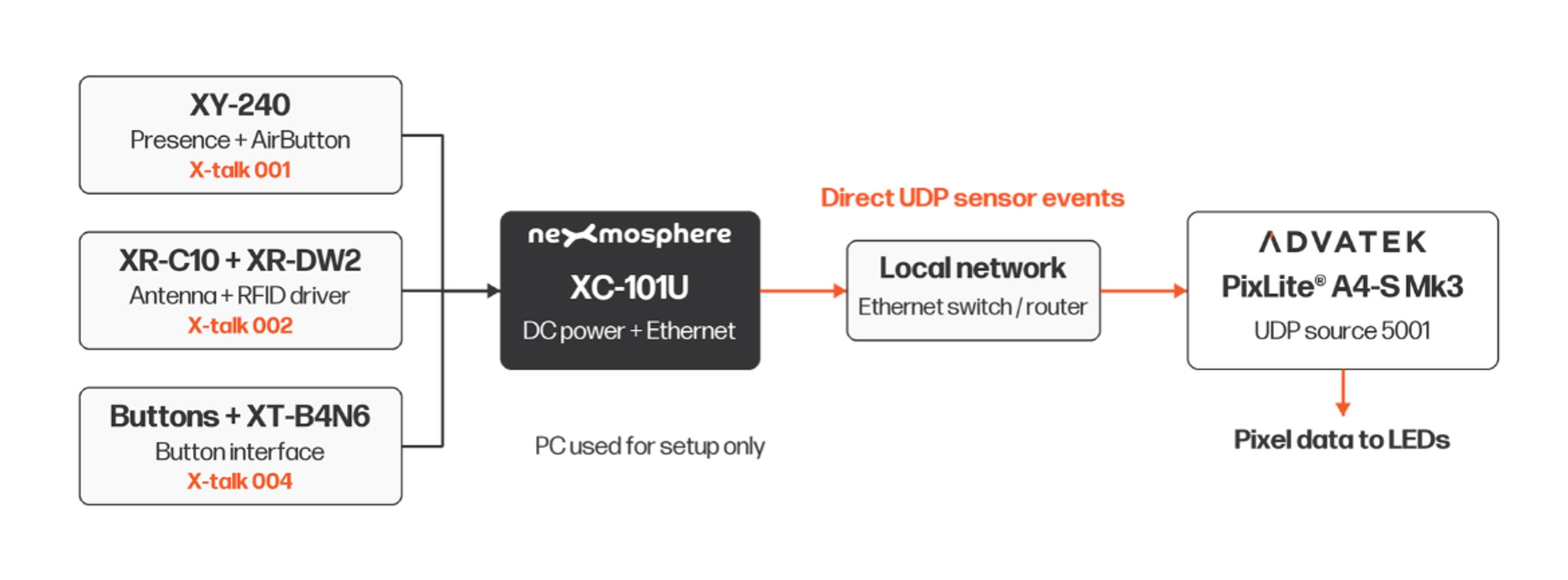
Users can now use Nexmosphere presence sensors, buttons and RFID readers to make pixel lighting respond to visitors and to craft a more immersive environment. Nexmosphere hardware sends sensor events to PixLite® Mk3 over the local network. This offers a practical way to add presence, button and RFID interactions to retail displays, exhibits and other visitor experiences.
PixLite® Mk3’s SHOWTime™ triggers turn those events into lighting actions, such as selecting a colour, starting a recorded scene or changing brightness.
The downloadable starter guide explains the direct network UDP setup and includes a configuration with 25 triggers. The reference setup used:
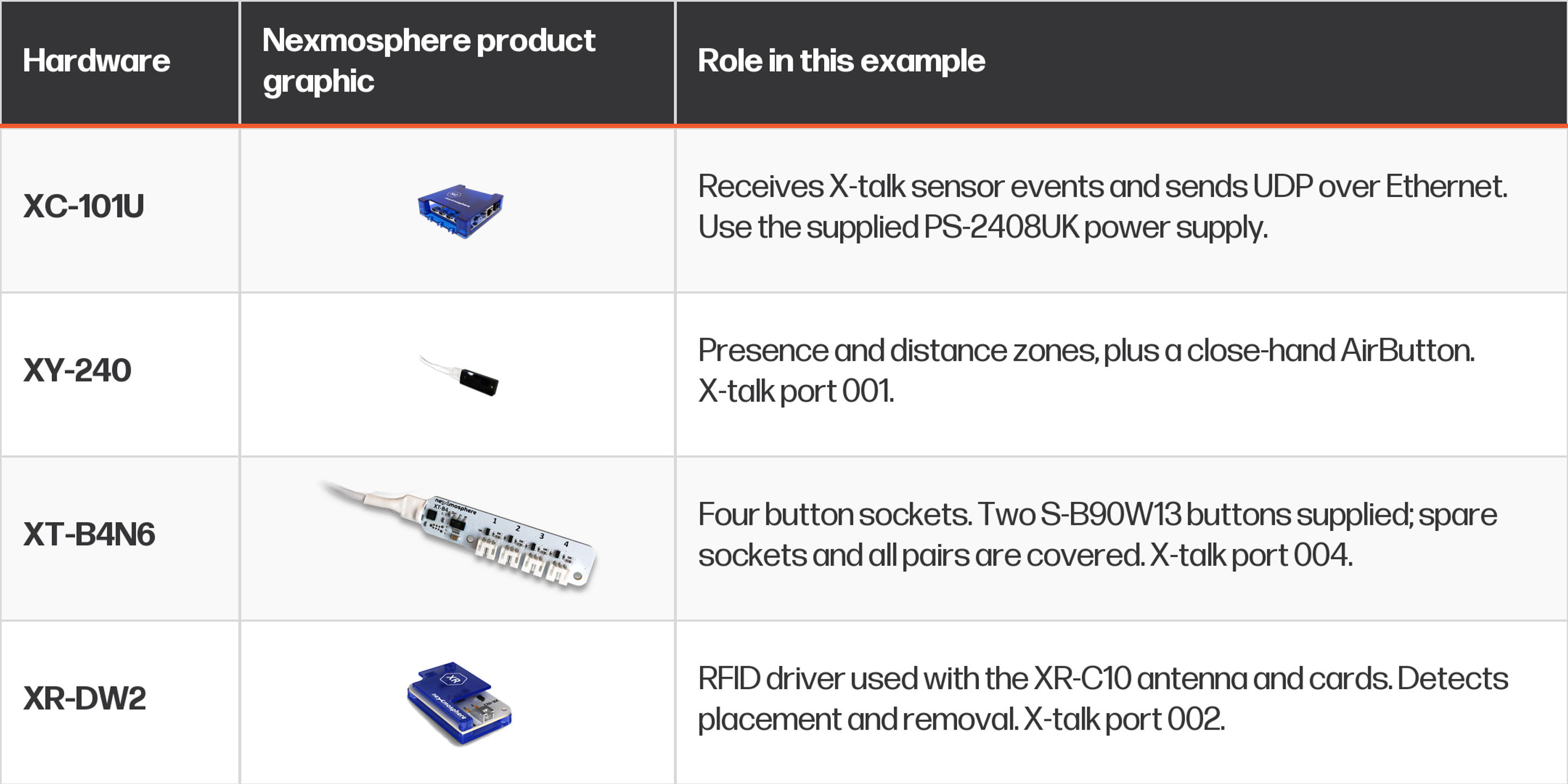
- A PixLite® A4-S Mk3 running firmware 3.15.1.
- A Nexmosphere XC-101U controller.
- A Nexmosphere XY-240 presence sensor.
- A Nexmosphere XT-B4N6 button interface.
- A Nexmosphere XR-DW2 RFID driver with an XR-C10 antenna.
Validate your selected hardware and environment before deployment.
Benefits for PixLite® Users
Make lighting respond to visitors. Use interactions to start a welcome effect, highlight a display or select a lighting scene for an exhibit.
Build on your existing PixLite® system. Add sensor inputs while keeping PixLite® for pixel output and SHOWTime™ for playback.
When used alongside Nexmosphere hardware, recorded SHOWTime™ scenes play from the PixLite®’s microSD card. So, an authoring computer is not needed during operation.
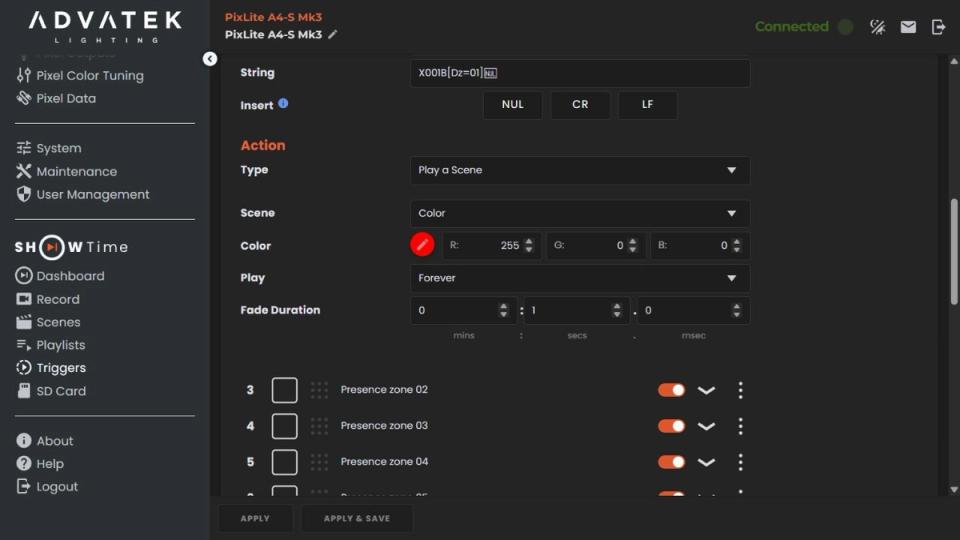
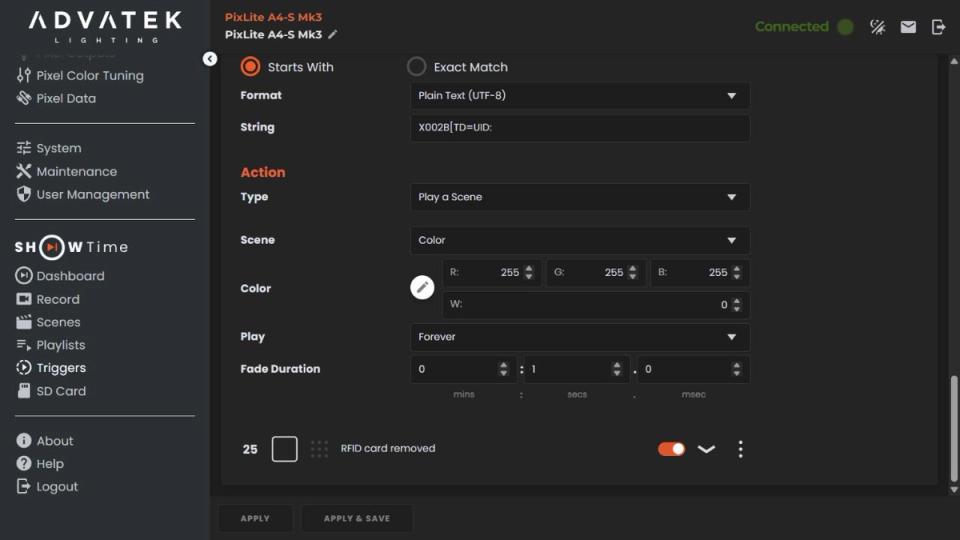
Users can adapt the approach to different projects. Allowing them to develop interaction patterns for retail displays, museum exhibits and experiential spaces, then validate them for the chosen hardware and environment.
Get started
Download the starter guide and configuration. The ZIP below contains an illustrated PDF guide and partial .conf file to configure PixLite® for Nexmosphere’s triggers.
Download Nexmosphere PixLite® Config
Special thanks to Nexmosphere